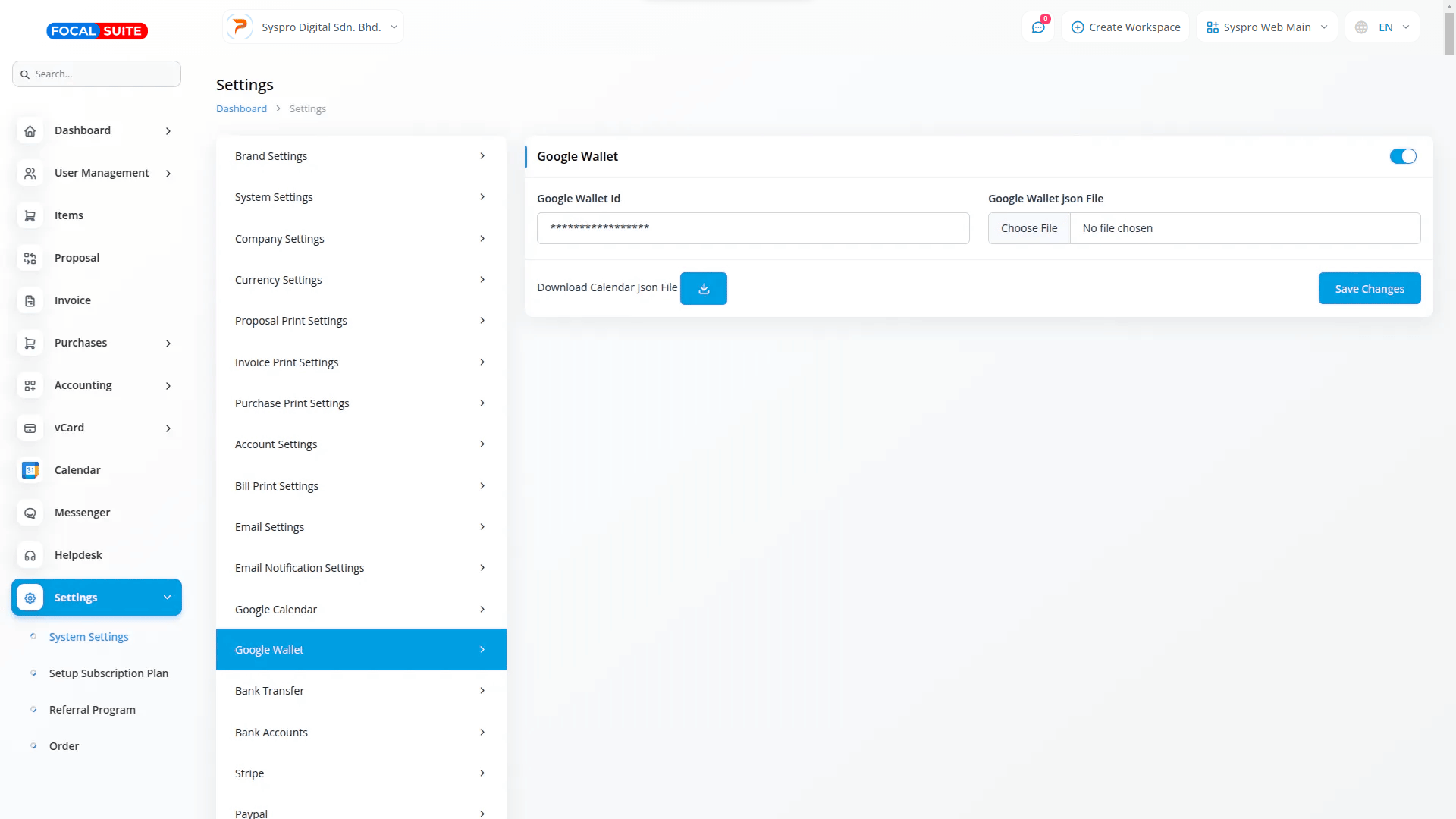
Wallet Settings Configuration
Set up Google Wallet quickly with secure authentication.
System Integration
Connect through System Settings with secure configuration steps.
Secure Credentials
Upload issuer ID and authentication file for activation.
Easy Management
Access Wallet settings directly from the sidebar.
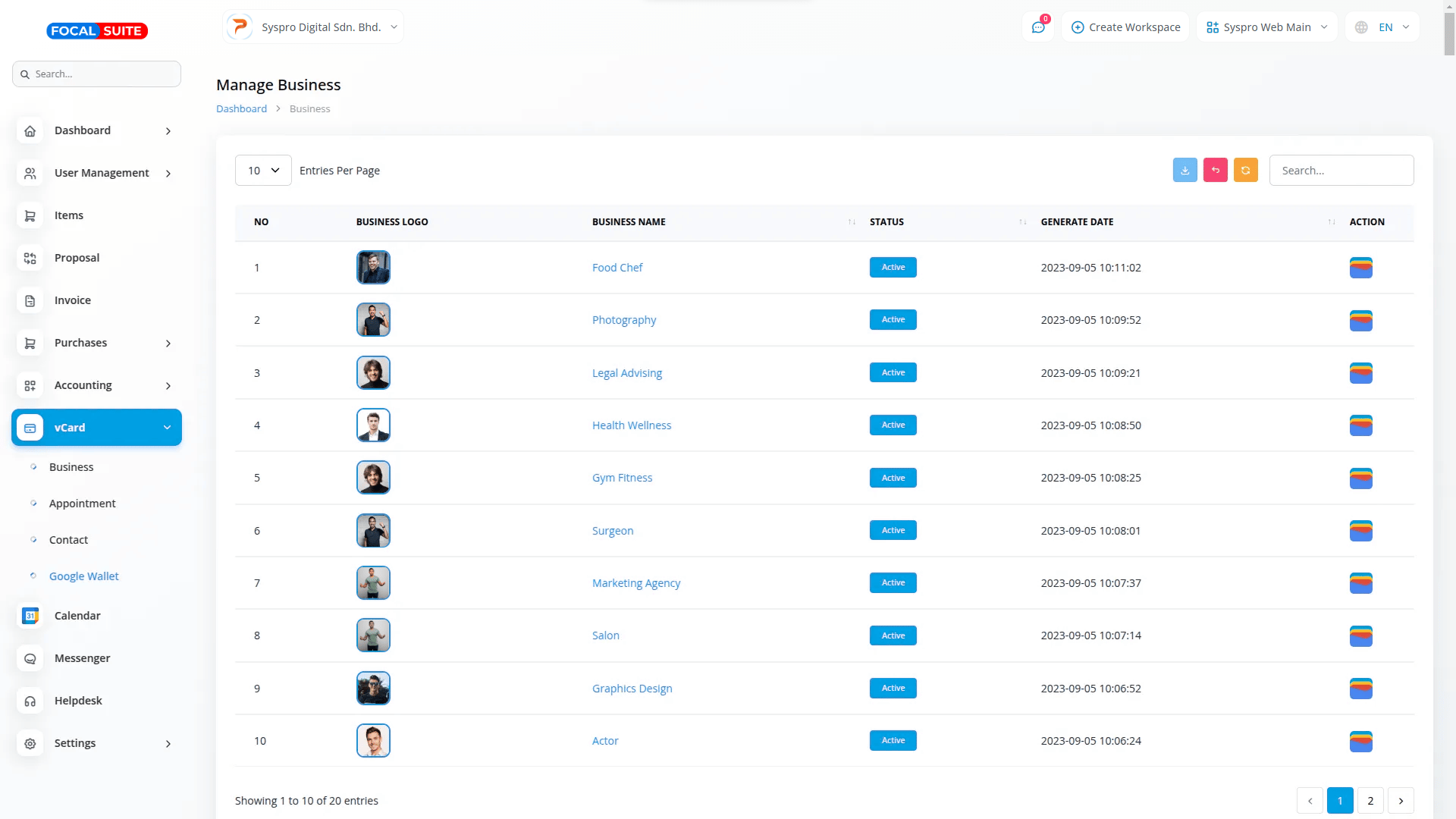
Wallet Integration Process
Add and manage your digital cards with simplicity.
Card Generation
Each business in Focal Suite vCard generates a digital card.
One-Click Storage
Click “Add to Wallet” to save securely.
Instant Availability
Cards appear immediately in the Google Wallet app.
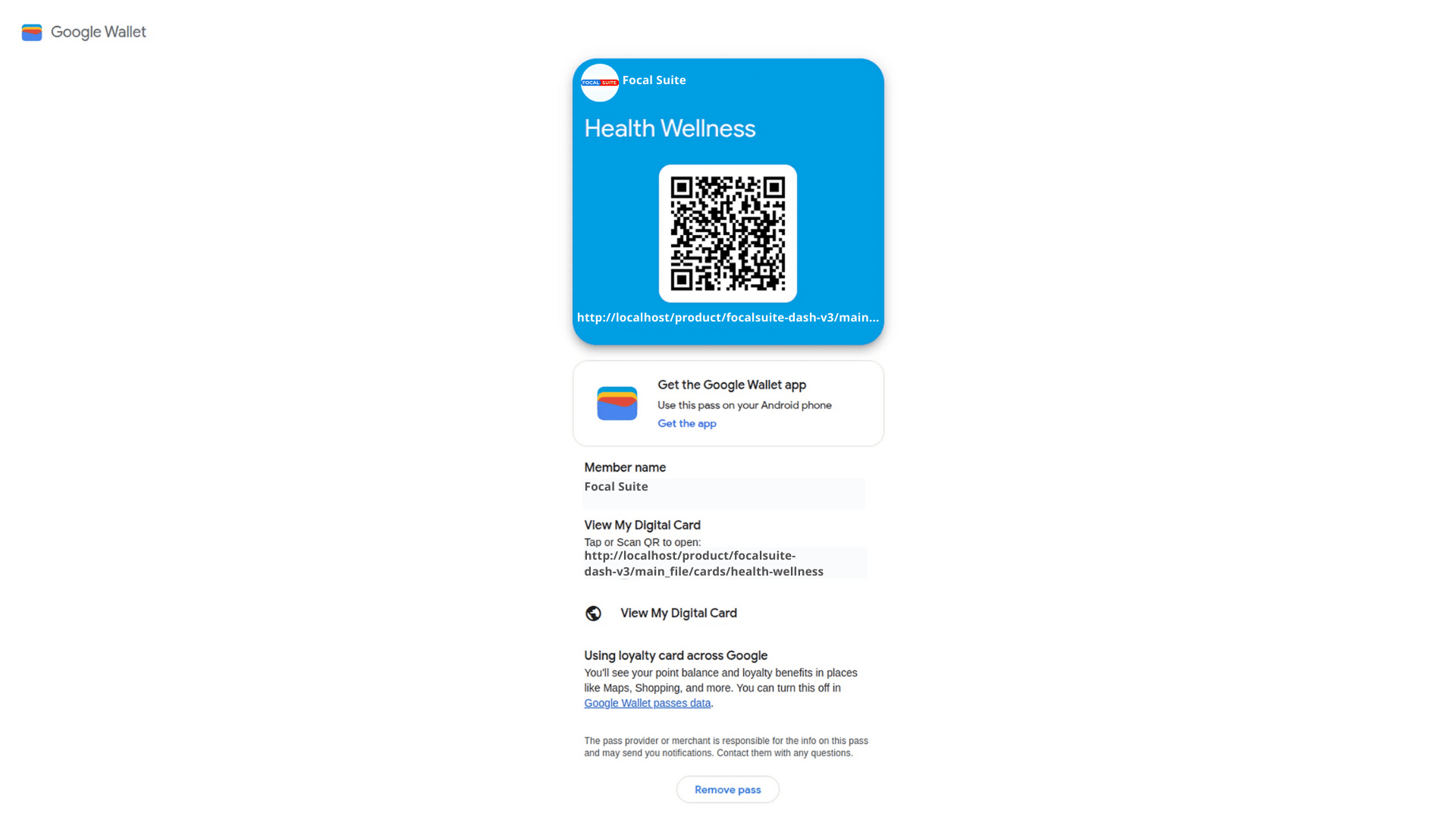
Manage Digital Card in Google Wallet
Keep your professional identity accessible at all times.
View Card Anytime
Open the app and select “View My Digital Card.”
Quick QR Access
Scan QR codes for instant retrieval and sharing.
Always Secure
Cards stay safely stored on your mobile device.
Number of Workspace :
1
Number Staff :
5
Included :
Includes invoicing, proposals, user management with role-based access, item management with stock control, purchase orders, and an integrated messenger platform for seamless communication.
Product Information :
https://focalsuite.com/products/features/integration/google-wallet/

.png)
-medium.png)